

sqb diff FROM:TO compares:
- two targets (e.g.
prod:dev) in direct mode, or - two virtual environments (VDEs) when virtual environments are enabled.
FROM and TO refer to changes.
In direct mode, FROM and TO resolve the authoritative database/schema namespaces to compare.
SQLBuild uses the TO target’s named connection for the complete comparison and accesses both
namespaces through fully qualified relations. It does not resolve or open the FROM target’s
connection. The TO connection must therefore be able to read both namespaces; missing credentials
for that execution connection still fail before warehouse inspection.
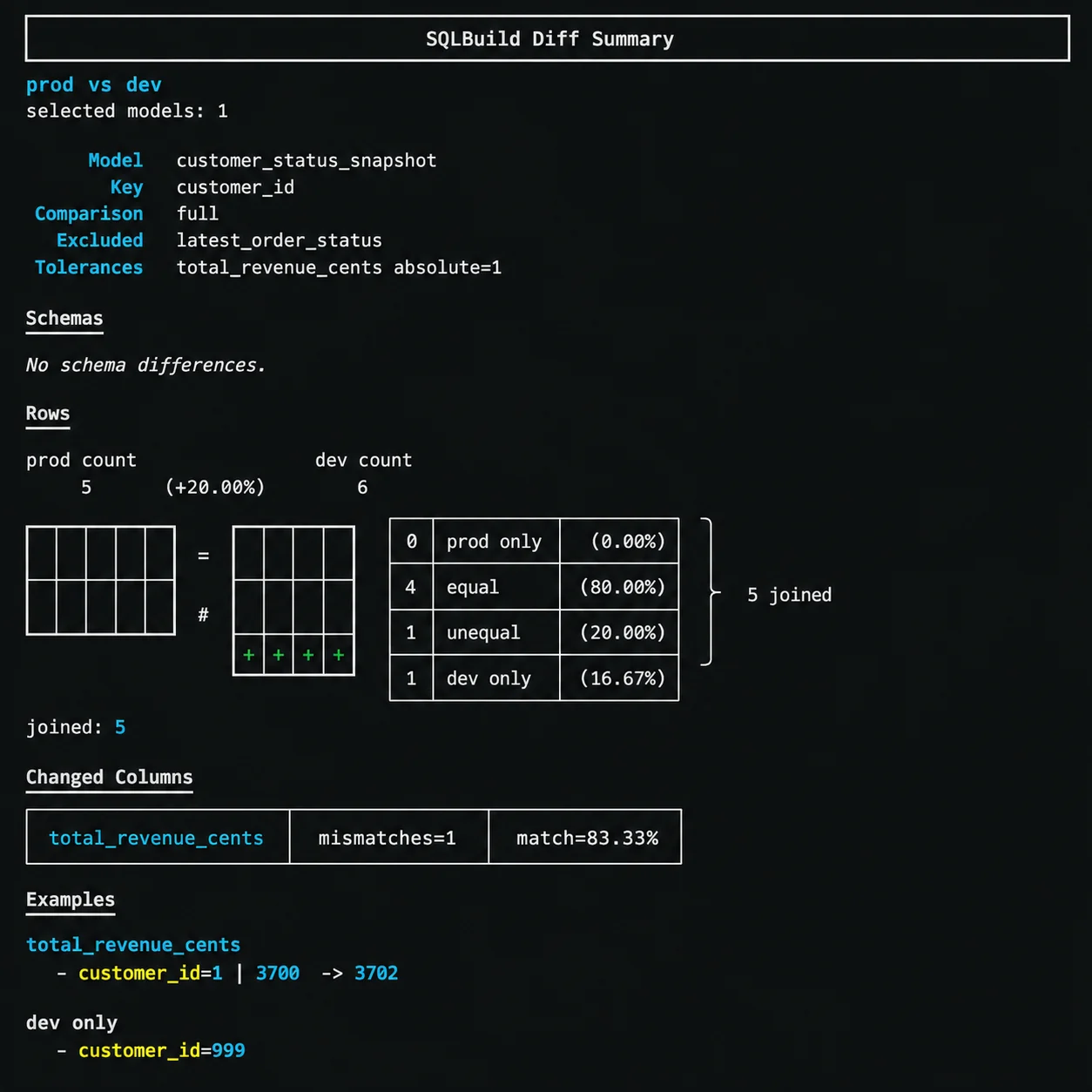
Comparison modes
Every diff requires exactly one mode:Full diff
Compares both schema and row-level data for the selected models:unique_key and compared column by column. The output shows:
- Row counts for each side
- How many rows are equal, unequal, or only in one side
- Which columns have mismatches with match percentages
- Example values showing what changed
Schema-only diff
Compares column names and types without looking at row data:Bounded diff
Compares only a recent window of data using the model’s cursor:14d, 6h, 30m). For integer cursors, the bound is an integer value. If the model has no cursor configured, the diff falls back to a full row comparison.
Deterministic key sampling
A cursor bound limits the range of data but does not guarantee a predictable number of rows. Use deterministic key sampling to cap the wide value comparison for a high-volume model:defaults, matching
path_defaults, the model’s MODEL() header, and finally CLI overrides. A model can disable an
inherited sample and request exhaustive comparison with row_diff_sample_rows 0:
--sample-rows and --sample-seed, or force
an exhaustive comparison with --exhaustive:
Cursor coverage
Before comparing values, SQLBuild reports exact boundedCOUNT, MIN(cursor), and MAX(cursor)
for each side. If cursor extents differ, it warns and continues with the requested comparison. It
does not ask for confirmation, silently narrow to the overlap, or hide rows that exist on only one
side.
Row matching
Rows are matched between the two sides using the model’sunique_key. Models without a unique_key can use schema-only diff but cannot run full or bounded row comparisons.
The diff output categorises rows as:
- Equal - same key, same values on both sides
- Unequal - same key, different values (with per-column breakdown)
- Left only - exists in the FROM side but not TO
- Right only - exists in the TO side but not FROM
Tolerances
Numeric columns can have tolerance rules to avoid false positives from floating-point differences or acceptable variance. Configure tolerances in the model’sMODEL() header:
absolute- maximum allowed absolute difference (e.g.1means values differing by 1 or less are treated as equal)relative- maximum allowed relative difference as a decimal (e.g.0.01for 1%)
by_column) or per-type (by_type).
Excluded columns
Columns that are expected to differ between the two sides (like timestamps or context-specific values) can be excluded from the row comparison:row_diff_exclude_columns and unique_key.
Verbose output
Add--verbose or -v to see more example rows for mismatches and side-only rows:
row_diff_sample_rows, which controls how many unique keys receive the wide value comparison.
Structured output
Use--json-output PATH to write a stable structured result while retaining the normal terminal
summary:
schema_only, exhaustive, or sampled comparison scope; requested and observed
cursor coverage; bounded population and compared key counts; seed and configured limit; row result
counts; and changed-column counts. The top-level status distinguishes no_differences_found from
differences_found.
Invocation safety limits
Use--max-models and --max-columns to put explicit hard limits around a broad selector. SQLBuild
fails visibly instead of truncating the selected models or compared columns:
--max-columns checks the larger
observed schema for each model before starting its row comparison.
Selectors
Diff requires--select in the current version. You can use any selector syntax:
Exit codes
sqb diff returns exit code 0 when all selected models have no differences, and 1 when any model has schema or row differences. This makes it usable in CI pipelines as a validation gate.